Migrating from Yeoman to the New SPFx CLI in 2026
Drop the outdated Yeoman generator. Learn how to scaffold modern SPFx web parts using the brand new Microsoft CLI tools.
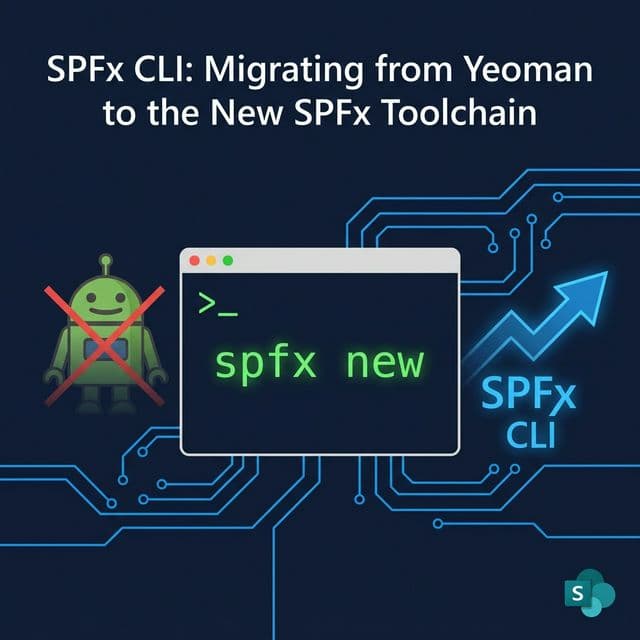
Why the SPFx Toolchain is Changing in 2026
If you've scaffolded an SPFx project in the last few years, you know the drill: yo @microsoft/sharepoint, Gulp tasks, and a labyrinth of package.json scripts. This setup has served the ecosystem well, but Microsoft is moving on.
Starting with SPFx v1.22 (Stable in 2024, widely adopted through 2025-2026), the framework began a deliberate migration away from the classic Yeoman generator and Gulp build runner toward a modern SPFx CLI and the Heft build orchestrator.
This isn't just a tooling aesthetic change. For any team with more than one developer, the old pipeline creates real friction: slow cold-start build times, opaque Gulp task chain debugging, and a Yeoman dependency that has been effectively unmaintained. The new pipeline fixes all three.
This guide walks you through why the shift is happening, what changes between the two stacks, and the exact steps to migrate an existing project.
---
What's Actually Changing: A Side-by-Side Comparison
Understanding what each tool replaced — and why — is the most important step before touching any code.
| Concern | Old Toolchain (≤ v1.21) | New Toolchain (v1.22+) |
|---|---|---|
| Project scaffolding | Yeoman generator (yo @microsoft/sharepoint) | SPFx CLI (spfx new) |
| Build runner | Gulp | Heft (by Rush Stack) |
| TypeScript compilation | Gulp-based ts-loader chain | Heft's native TypeScript rig |
| Bundling | Webpack via Gulp plugin | Webpack via Heft plugin |
| Testing | gulp test (Jest integration) | heft test |
| Build speed | ~20-40s typical cold start | ~8-15s typical cold start |
| Config format | Gulp task files (JavaScript) | heft.json, tsconfig.json, rigs |
| CLI decoupling | Tied to SPFx release cycle | CLI versioned independently |
The two most important properties of Heft: it's config-driven (not code-driven like Gulp), and it supports build rigs — shared configuration packages that your entire organization can standardize on. This is the critical enterprise feature that the old stack simply couldn't offer.
---
Step 1: Install the New SPFx CLI
The new CLI is a standalone npm package, separate from the Yeoman generator.
npm install -g @microsoft/spfxVerify the installation:
spfx --versionNote: The SPFx CLI is versioned independently from the SPFx framework version. You can manage multiple framework versions from a single CLI installation, unlike the old Yeoman generator which was tightly coupled to the version it scaffolded.
Before continuing, also ensure you meet the Node.js requirements for SPFx v1.22+:
node --version # Should be 20.x LTS or higher---
Step 2: Scaffold a New Project with the SPFx CLI
For new projects, replace your old yo @microsoft/sharepoint command:
# Old way (Yeoman)
yo @microsoft/sharepoint# New way (SPFx CLI)
spfx new
The spfx new command is fully interactive and presents the same options as Yeoman (component type, React vs no framework, etc.), but it's dramatically faster to execute and doesn't require Yeoman or Node generator scaffolding overhead.
Every web part component still requires a unique GUID in its manifest. Use the GUID Generator tool to instantly create cryptographically secure v4 UUIDs for your manifest.json files — it also supports bulk generation for multi-component solutions.
---
Step 3: Migrate an Existing Yeoman Project to Heft
This is the critical section for teams with existing SPFx solutions. The recommended path is using the CLI for Microsoft 365 (m365 CLI) to generate a migration report, then applying changes manually.
3a. Generate the Upgrade Report
# Install CLI for Microsoft 365 if you haven't already
npm install -g @pnp/cli-microsoft365# Navigate to your SPFx project root
cd my-spfx-project
# Generate a migration report to SPFx v1.22
m365 spfx project upgrade --toVersion 1.22.0 --output md > migration-report.md
Open migration-report.md. It lists every file that needs to change, the exact diff to apply, and which packages to add or remove. This is your migration checklist.
3b. Key Package Changes
The core package swap from Gulp to Heft involves:
# Remove Gulp and SharePoint-specific Gulp tasks
npm uninstall gulp @microsoft/sp-build-web @microsoft/sp-module-interfaces# Add Heft and the SPFx Heft plugin
npm install --save-dev @rushstack/heft @microsoft/spfx-heft-plugins
3c. Replace gulpfile.js with heft.json
Delete (or empty) your gulpfile.js. In your project root, create a heft.json:
{
  "$schema": "https://developer.microsoft.com/json-schemas/heft/v0/heft.schema.json",
  "heftPlugins": [
    {
      "package": "@microsoft/spfx-heft-plugins",
      "pluginName": "spfx-web-part-bundle-plugin"
    }
  ]
}
3d. Update package.json Scripts
Replace Gulp script references with Heft equivalents:
{
  "scripts": {
    "build": "heft build --clean",
    "bundle": "heft build --clean && heft run --only bundle -- --production",
    "test": "heft test --clean",
    "package-solution": "heft build --clean && heft run --only package-solution -- --production",
    "start": "heft build --watch"
  }
}
Notice the removal of gulp serve. In SPFx v1.22+, local workbench is fully replaced with in-page debugging on SharePoint Online. You no longer run a local server — you upload your bundle and debug it live.
---
Step 4: Understanding Heft Build Rigs (The Enterprise Feature)
Build rigs are the feature that makes Heft genuinely powerful for organizations with multiple SPFx projects.
A rig is a shared npm package that exports a common set of Heft configuration files (tsconfig.json, heft.json, tool configs). You publish it once and every SPFx project references it as a devDependency.
# Install your company's SPFx rig (or use the community one)
npm install --save-dev @microsoft/eslint-config-spfx
Reference the rig in your config/rig.json:
{
  "$schema": "https://developer.microsoft.com/json-schemas/rig-package/rig.schema.json",
  "rigPackageName": "@microsoft/eslint-config-spfx"
}
With a rig in place, updating your TypeScript version, ESLint rules, or Webpack configuration across every SPFx project becomes a single npm update rig-package command — not 30 manual PRs.
---
Step 5: Running the New Build Pipeline
The new build commands feel familiar but have cleaner semantics:
| Old Gulp Command | New Heft Command |
|---|---|
gulp build | heft build |
gulp bundle --ship | heft build --production |
gulp package-solution --ship | heft run --only package-solution -- --production |
gulp test | heft test |
gulp serve | N/A (use SharePoint Online in-page debugging) |
If you hit cryptic build errors during migration, use the SharePoint & Power Platform Error Decoder to instantly translate error codes from both the TypeScript compiler and SharePoint packaging pipeline into human-readable explanations.
---
Step 6: Testing Your Migrated Solution
Once your build succeeds, validate the solution in SharePoint Online:
- Run
heft build --productionto create the.sppkgfile
- Upload to your App Catalog at
/_layouts/15/tenantadmin.aspx
- Enable the SharePoint Framework client-side in-page debugging toolbar (available in SPFx v1.22+)
- Navigate to any SharePoint page and flip the debug switch from the browser toolbar
The new in-page debugger is significantly more stable than the local workbench, especially when your web part reads real SharePoint list data. For filtering that data, the CAML Query Builder lets you visually construct your list queries — critical when your web part needs nested AND/OR conditions or lookup column filtering.
If your web part renders data in a SharePoint list view, also explore the JSON Column Formatter to add conditional formatting to the columns your SPFx solution creates — a great pairing for solutions that write metadata back to lists.
---
Frequently Asked Questions
Do I need to migrate all projects to SPFx v1.22 immediately?
No. Microsoft maintains backward compatibility, so existing solutions on SPFx v1.19-v1.21 continue to work in SharePoint Online. However, new features (especially Viva Connections ACE enhancements and in-page debugging) are only available in v1.22+. Start migrating your most actively developed solutions first.
Can I use the SPFx CLI and Yeoman on the same machine?
Yes. They are entirely separate npm packages. You can scaffold a new project with spfx new and still run an older project with Yeoman side-by-side. Just be mindful of the Node.js version requirements — some older Yeoman-scaffolded SPFx projects may struggle with Node 18+.
What happened to gulp serve?
It's been deprecated in favor of SharePoint Online in-page debugging. You build your bundle, upload it to a debug CDN location or the App Catalog, and then activate the debugging toolbar in your browser. This approach is more reliable because it tests against real SharePoint data and permissions — not a sandboxed local environment.
What is a Heft rig and do I need one?
A rig is optional for individual projects but highly recommended for organizations. If you maintain more than 3 SPFx projects, a rig standardizes your TypeScript, ESLint, and Webpack configuration in one place. A single update propagates across every project when you bump the rig package version.
Does the new SPFx CLI support Yeoman-style custom templates?
Yes. One of the key improvements is that Microsoft is open-sourcing project templates via GitHub, allowing organizations to fork the official templates and maintain company-specific scaffolding. This replaces the old approach of maintaining private Yeoman generators.
---
Conclusion & Next Steps
The Yeoman-to-SPFx CLI migration is not just a tooling change — it's a shift toward a more enterprise-grade, maintainable build pipeline. The performance improvements alone (2-3× faster builds) justify the migration effort for most teams.
Your next steps:
- ✅ Install the new SPFx CLI:
npm install -g @microsoft/spfx
- ✅ Generate a migration report for each project:
m365 spfx project upgrade --output md > report.md
- ✅ Apply the report changes, swap Gulp for Heft, and validate your build
- ✅ Consider creating a shared Heft rig for your organization's SPFx template
Ready to test your knowledge on SPFx and the full M365 developer stack? Try the M365 Challenge Mode quiz — a gamified quiz covering SPFx, Power Automate, Graph API, and more, with detailed explanations after every question.